Crazy Cars Unblocked — Play Free Online
More Runners & Platformers games
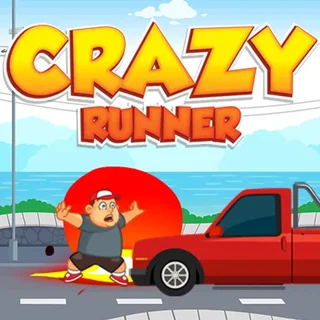







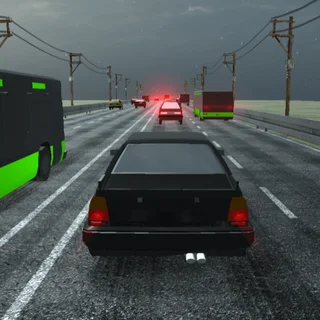
Crazy Cars unblocked: play Crazy Cars online free right here in your browser — no download, no sign-up, works on a school Chromebook.
Crazy Cars is a short, arcade-style browser game filed under Runners & Platformers on Snail Bob. You steer with the keyboard, react to what the screen throws at you, and try to get further on the next attempt than you did on the last. It opens right in the page, with nothing to install and no account to create.
If you landed on this site for Snail Bob, the connection is the pace. Snail Bob is about timing and patience; Crazy Cars asks for quicker reactions but keeps the same easy pick-up-and-go feel. A try is short, so it fits the gaps between longer puzzle levels.
How to play
Use the arrow keys or A and D to move. Up, W or Space makes you jump. On a phone or tablet, tap or swipe instead. Click inside the game once before you start so it receives your key presses; if nothing responds, that click is almost always the fix.
Pick a hand position and keep it. Most missed inputs in this kind of game come from hunting for a key, not from the game being unfair.
Tips
- Do the first run slowly and watch what appears on screen. Learning how the game behaves is worth more than a quick early score.
- Tap the controls in short bursts rather than holding them down, so you can correct course quickly.
- If you play on a laptop, a keyboard is easier than the touchpad. On a phone, swipe deliberately instead of tapping repeatedly.
Similar games on Snail Bob
For something calmer, the Snail Bob series (starting with Snail Bob and Snail Bob 2) swaps reflexes for button-and-gate puzzles. Happy Glass and Pull the String are quick physics puzzles with no time pressure. Sides of Gravity sits closer to Crazy Cars, since it is a platformer where timing matters.
Crazy Cars suits a five-minute break on a keyboard or a touch screen, when you want something light that needs no setup.
Questions about Crazy Cars
Is Crazy Cars unblocked at school?
Crazy Cars runs in an ordinary browser tab from snailbob.org, with nothing to download or install, so it plays on most school Chromebooks and work computers. If a network filter blocks the site, only that network's administrator can change it.
How do I control Crazy Cars?
Use the arrow keys or A and D to move, and Up, W or Space to jump. On a phone, tap or swipe. Click inside the game once so it gets the keys.
Is Crazy Cars free to play?
Yes. It runs in your browser on snailbob.org with no download or account.
Can I play Crazy Cars on a phone or Chromebook?
It is an HTML5 game, so it runs in a modern browser on a phone, tablet, Chromebook or laptop. A keyboard is usually easier than touch.