Squish Run Unblocked — Play Free Online
More Runners & Platformers games







Squish Run unblocked: play Squish Run online free right here in your browser — no download, no sign-up, works on a school Chromebook.
Squish Run is a fast-paced pixel-art platform runner where momentum and quick reflexes determine how far you survive. Taking control of a small character sprinting across hazardous obstacle courses, your objective is to clear sudden gaps, leap over deadly spike pits, and smash through fragile brick barriers before they halt your progress. The levels throw hazards at you in rapid succession, turning every sprint into a test of timing and quick pattern recognition.
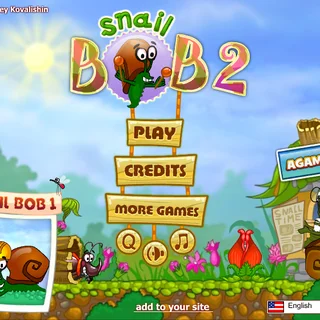
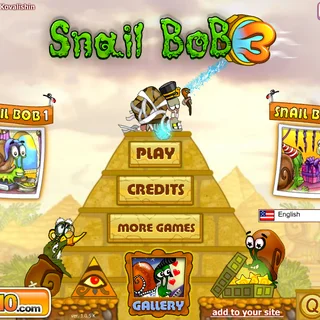
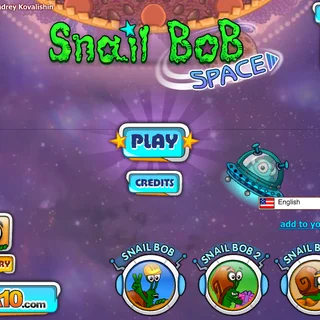
While visitors to Snail Bob are often accustomed to methodical, slow-paced puzzle solving, Squish Run provides an energetic change of tempo. It trades leisurely contraption management for immediate action and pure platforming mechanics. Whether jumping in for a solo high-score attempt or sharing the keyboard for a local two-player duel, each attempt starts instantly and challenges you to push further than your previous best.
How to play
Getting started requires no setup or downloads since the game runs directly in your web browser. Click inside the play area once so the window registers your keystrokes. Use the Left and Right Arrow keys or the A and D keys to adjust your movement and maintain your stride. Press the Up Arrow, W, or the Spacebar to jump over obstacles and vault across deep chasms. On mobile devices and touchscreens, you can navigate using direct tap and swipe gestures.
Success in Squish Run centers around reading incoming terrain before your character arrives. As you dash forward, brick blocks will block your direct path; running into them at full speed allows you to shatter the barriers, but mistiming your approach can cause you to slam into unbreakable walls or misjudge a spike trap. Maintaining forward momentum while timing your jumps precisely is the key to clearing each section cleanly.
Survival tips
- Time jumps for the edge: Waiting until the edge of a platform before pressing jump maximizes your distance, giving you enough clearance to float over wide pits.
- Anticipate brick clusters: Look ahead to see whether a wall requires a clean smash or a leap over top, preventing sudden collisions that ruin your pace.
- Reset your focus after hazards: Obstacles often appear in clusters of two or three; landing safely after a spike jump requires preparing for the next hurdle immediately.
- Play in fullscreen mode: Expanding the view helps spot upcoming traps earlier, giving you more frames of animation to react to narrow landings.
Similar games on Snail Bob
If you enjoy testing your timing and movement across different styles of challenges, snailbob.org features several other titles worth exploring. Sides of Gravity offers another perspective on platforming by flipping room orientation and gravitational pulls to navigate tricky mazes. Circloo presents a physics-based puzzle experience where building speed within circular boundaries is essential to collect growing targets. For players who prefer relaxing spatial logic over swift reflex tests, Happy Glass lets you sketch water paths to fill containers, while Rubble Trouble challenges you to clear demolition zones using carefully placed tools.
The game runs entirely within modern web browsers with no installation or account creation required, making it easy to jump into a quick solo run or pass the keyboard to a friend.
Questions about Squish Run
Is Squish Run unblocked at school?
Squish Run runs in an ordinary browser tab from snailbob.org, with nothing to download or install, so it plays on most school Chromebooks and work computers. If a network filter blocks the site, only that network's administrator can change it.
How do you control your runner in Squish Run?
Use the Left and Right Arrow keys or A and D to move sideways, and press the Up Arrow, W, or Spacebar to jump over hazards. On touch devices, use tap and swipe gestures.
Can you play Squish Run with two players?
Yes, Squish Run supports both single-player and local two-player modes so two competitors can race across the obstacle course using the same keyboard.
Do you need to download anything to play?
No, Squish Run runs directly inside any modern web browser without needing downloads, plugins, or account registration.
What devices are supported for Squish Run?
The game is built with HTML5 technology and plays on desktop computers, laptops, Chromebooks, and mobile browser touchscreens.